
Overview
Artificial intelligence has transformed the way creators produce content. Tasks that once required expensive equipment, professional studios, or specialized talent can now be completed in minutes using AI-powered tools.
One area that has seen significant growth is AI voice generation.
From YouTube videos and online courses to product demonstrations and corporate training, AI voiceovers are becoming an increasingly popular alternative to traditional narration.
But does that mean human voiceovers are becoming obsolete?
Not quite.
Both AI-generated narration and human voice acting have strengths and limitations. The right choice depends on your project, budget, timeline, and creative goals.
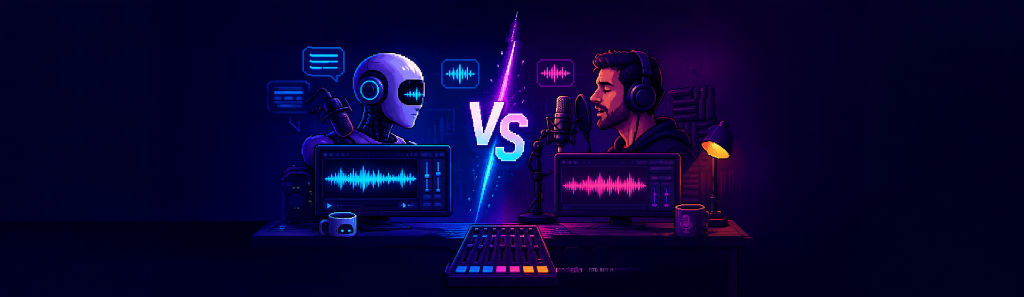
In this guide, we'll compare AI voiceovers and human voiceovers across the areas that matter most, helping you decide which approach is best for your next video.
What Is an AI Voiceover?
An AI voiceover is narration generated using text-to-speech technology.
Instead of recording your voice through a microphone, you simply write your script, choose a voice, adjust settings like tone or speed, and let the software generate spoken audio.
Modern AI voices have become remarkably natural, making them suitable for many types of professional video production.
What Is a Human Voiceover?
A human voiceover is recorded by a real person.
This could be:
- Yourself
- A professional voice actor
- A member of your team
- A freelance narrator
Human narration captures natural emotion, improvisation, subtle emphasis, and vocal nuance that can be difficult for AI to fully replicate.
Comparing AI and Human Voiceovers
Let's look at how the two approaches compare across different aspects of video production.
1. Speed
AI Voiceovers
Once your script is ready, narration can often be generated within moments.
If you notice a typo or need to change a sentence, simply update the text and generate a new version.
Human Voiceovers
Recording usually takes longer.
Even a small script change may require:
- Opening the recording setup
- Re-recording the section
- Editing mistakes
- Removing breaths
- Exporting audio again
Winner: AI voiceovers
2. Cost
AI Voiceovers
Most AI voice generation tools offer predictable pricing, making them attractive for creators producing videos regularly.
Human Voiceovers
Professional voice actors charge based on factors such as:
- Script length
- Usage rights
- Turnaround time
- Experience
- Language
Costs can increase significantly for commercial or long-form projects.
Winner: AI voiceovers
3. Emotional Delivery
AI Voiceovers
Modern AI voices sound increasingly natural, but emotional range still depends on the available voices and controls.
For instructional, educational, and informational content, AI narration often performs exceptionally well.
Human Voiceovers
Human narrators naturally express:
- Excitement
- Suspense
- Humor
- Sarcasm
- Empathy
- Dramatic pauses
This level of emotional performance remains difficult for AI to consistently match.
Winner: Human voiceovers
4. Consistency
AI Voiceovers
Every recording maintains the same voice characteristics.
This consistency is valuable for:
- Training libraries
- Product documentation
- Online courses
- Software tutorials
Human Voiceovers
Voice quality can vary depending on:
- Recording environment
- Microphone placement
- Vocal fatigue
- Background noise
Maintaining identical recordings over several months can be challenging.
Winner: AI voiceovers
5. Revisions
Script revisions happen in almost every project.
AI Voiceovers
Updating narration usually involves:
- Editing the text
- Clicking Generate
That's it.
Human Voiceovers
Changes may require scheduling another recording session, editing audio again, and replacing clips throughout the timeline.
Winner: AI voiceovers
6. Creative Flexibility
Human voice actors often bring ideas that weren't written into the script.
They may naturally improve pacing or emphasize important phrases.
AI voices generally follow the provided text and selected settings.
While highly efficient, they don't improvise.
Winner: Human voiceovers
When Should You Use AI Voiceovers?
AI narration works particularly well for projects that prioritize speed, consistency, and frequent revisions.
Examples include:
- YouTube tutorials
- Software walkthroughs
- Product demonstrations
- Online learning
- Corporate training
- Internal communications
- Marketing videos
- Explainer videos
If you're producing content regularly, AI can significantly reduce production time.
When Should You Choose Human Voiceovers?
Some projects benefit from the emotional authenticity that only a real voice can provide.
Examples include:
- Animated films
- Audiobooks
- Character performances
- Commercial advertisements
- Documentary interviews
- Brand storytelling
- Emotional fundraising campaigns
In these situations, the unique expression of a human narrator often enhances the viewing experience.
Can You Combine Both?
Absolutely.
Many creators already do.
For example:
- AI narration for tutorials
- Human narration for promotional videos
Or:
- AI voices for temporary edits during production
- Human voiceovers for the final release
Using both approaches allows you to balance efficiency and creativity based on the needs of each project.
The Importance of Workflow
Choosing between AI and human narration isn't only about sound quality.
Workflow matters too.
Many editors generate AI voiceovers using browser-based tools.
That process often involves:
- Opening another application
- Uploading scripts
- Waiting for generation
- Downloading audio
- Importing files into Premiere Pro
These repeated steps interrupt creative momentum, especially when scripts change frequently.
Reducing these interruptions can have a significant impact on editing speed.
Choosing the Right Tool for the Job
The best narration isn't always the one with the most emotion or the lowest cost.
It's the one that fits your project's goals.
If you need expressive performances and emotional storytelling, a human voice actor remains the strongest choice.
If you value speed, consistency, and rapid iteration, AI voiceovers are an excellent solution.
Rather than viewing AI and human narration as competitors, think of them as complementary tools that serve different creative needs.
Streamline AI Voice Generation Inside Premiere Pro
If AI voiceovers are part of your editing process, the way you generate them matters just as much as the quality of the voice itself.
Many creators still rely on browser-based text-to-speech platforms, requiring them to leave Adobe Premiere Pro, generate audio, download files, and import them back into their projects every time the script changes.
The Vampro Voice Generator for Adobe Premiere Pro simplifies this workflow by bringing AI voice generation directly into your editing environment.
Without leaving Premiere Pro, you can:
- Paste or type your script
- Choose from multiple AI voices
- Apply tone presets for different narration styles
- Adjust speed and pitch
- Generate voiceovers directly within your editing session
Because voice generation happens through the local Vampro Voice Service, you can iterate on scripts quickly and stay focused on editing instead of managing downloads and imports.
Whether you're producing weekly YouTube videos, software tutorials, product demos, or educational content, integrating voice generation into your Premiere Pro workflow can help you spend less time switching between tools and more time creating content.