
CLIPBOARD
REVEAL DETAILS➔
CLIPBOARD
PASTE MEDIA DIRECTLY
Images, GIFs, copied files, text prompts, and supported URLs become organized project assets ready for your timeline.
Universal Paste eliminates browser saves, download folder hunting, and manual import rituals.
Images, GIFs, copied files, text prompts, and supported URLs become organized project assets ready for your timeline.
Capture entire displays, application windows, or snipped regions through a local companion built for editor rhythm.
Imported assets land in discoverable, date-stamped project bins - sent straight to playhead with zero drag-and-drop friction.
Watch how fast you can ingest URLs, grab screen clips, paste clipboard assets, and replace timeline cuts without breaking your creative flow.
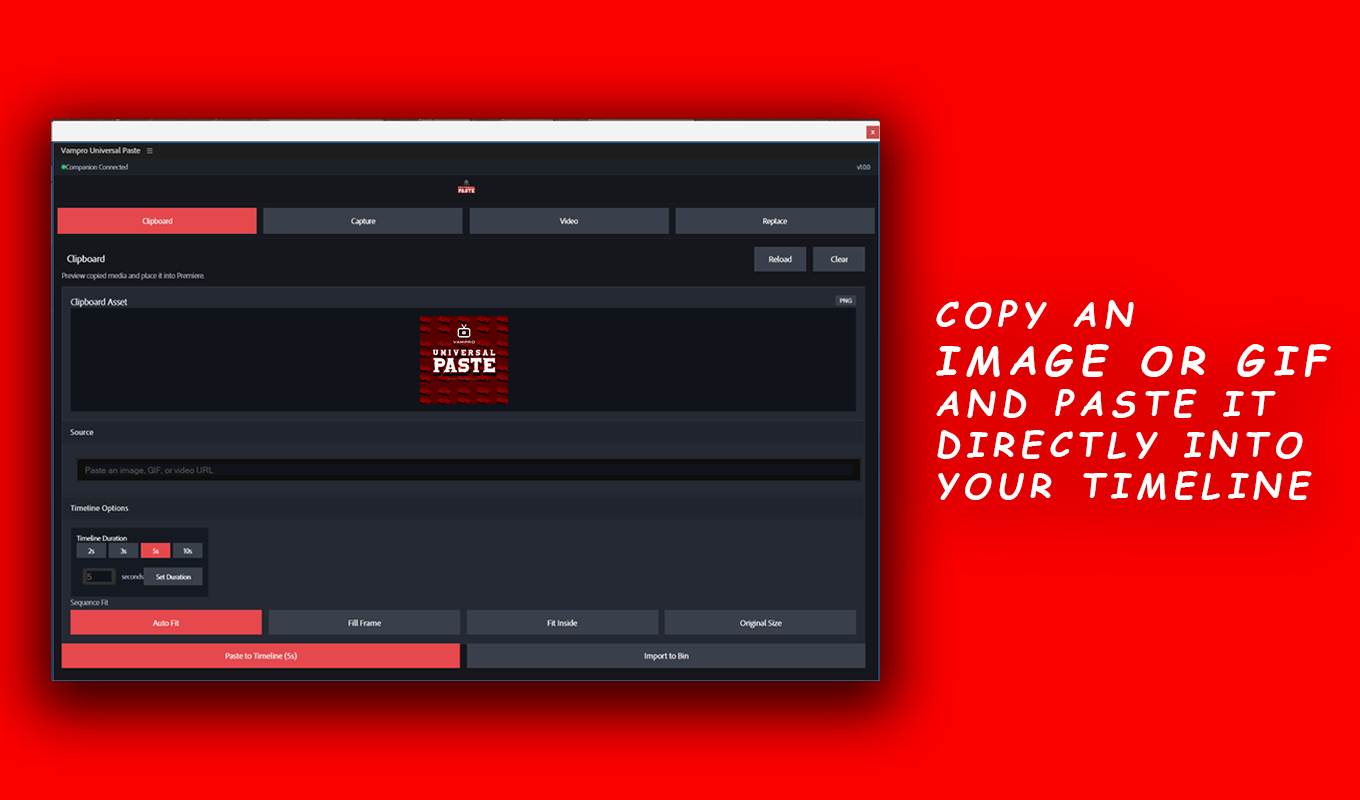
Copy an image, GIF or URL, set the clip duration and paste it into your timeline in seconds
Copy a video URL (YouTube, Vimeo, Reddit, etc), and simply paste the link to directly download and insert it into your timeline
Record specific tabs or screens, either full screen or selected area with or without audio and directly insert into your timeline.
Click any timeline clip and replace it with the asset copied in the clipboard. Need to replace an image with a video, you can do it in seconds.
The complete walkthrough captured for you.
Built for editors who keep moving between research, reference, screen capture, browser media, and the timeline.
Pull visual references, screenshots, overlays, and quick inserts into projects faster.
Reduce handoffs when social, product, and web references need to become edit material.
Capture screens, app windows, and snippets without leaving the editing rhythm.
Move from idea to timeline when deadlines leave no room for import rituals.
Single unified workflow for clipboard, capture, URLs, images, GIFs, and videos.
Local companion handles heavy fetching and encoding while Premiere stays snappy.
Assets are organized in structured date-stamped folders for instant search.
Media lands right at your playhead on Track V1/V2 with zero drag-and-drop friction.
Install the plugin, launch the companion app, and keep the full paste pipeline running locally.
Install Universal Paste from Adobe Exchange and enable it inside Premiere Pro.
Install and run the companion app from the Windows Store so clipboard, capture, and media handling stay available.
The entire package is processed offline with ultra fast local processing.
Direct answers to how Universal Paste operates with Adobe Premiere Pro, supported media, file handling, and workflow automation.
Vampro Universal Paste is an Adobe Premiere Pro extension (UXP) and native desktop companion that turns clipboard content, screenshots, window recordings, URLs, GIFs, images, and videos into timeline-ready assets with a single click.
With Vampro Universal Paste installed, simply copy any image or GIF from your web browser or desktop (Ctrl+C), switch to Premiere Pro, open the Universal Paste panel, preview the detected asset, and click "Paste to Timeline" or "Import to Bin". It places the asset directly at your playhead without requiring manual saving to your desktop.
Yes! The integrated companion app includes region screenshot snipping and screen recording tools. Captured media is automatically encoded, saved into dedicated project media bins, and placed directly onto your timeline sequence.
Select any clip on your Premiere Pro timeline, copy a new asset (image, GIF, or video) to your clipboard, and click "Replace Clip". Universal Paste instantly swaps the media while preserving the original clip duration, timeline position, scale, and applied keyframe effects.
No. Universal Paste eliminates desktop clutter by automatically reading the system clipboard or downloading web media in the background, saving assets into an organized project folder, and importing them straight into Premiere Pro.
Yes, 100%. All clipboard processing, screenshot snipping, screen recordings, and Premiere Pro timeline insertions execute completely offline on your local machine. Your assets, footage, and project files never leave your system.
Universal Paste supports PNG, JPG, JPEG, WebP, animated GIFs, MP4, WebM, clipboard bitmap buffers, and direct video/media URLs.
Vampro Universal Paste is compatible with Adobe Premiere Pro 24.0 (2024), 25.0+ (2025), and later releases on Windows 10/11 64-bit (with macOS support planned for the future).