
Overview
Video editing is no longer just about creativity, it's about efficiency. Whether you're producing YouTube videos, commercials, documentaries, online courses, or social media content, your editing workflow directly impacts how quickly you can publish and how enjoyable the creative process becomes.
Many editors believe they need a faster computer to speed up editing. In reality, the biggest bottleneck is often an inefficient workflow. Poor file organization, cluttered timelines, unnecessary software switching, inconsistent naming conventions, and repeated manual tasks silently consume hours every week.
Lean editing is the philosophy of eliminating everything that slows down your creative process while preserving maximum creative freedom. Instead of working harder, you build systems that let you work smarter.
In this guide, we'll explore practical lean editing practices used by professional editors and finish by showing how AI-powered voice generation inside Adobe Premiere Pro can remove one of the biggest workflow interruptions.
What is Lean Editing?
Lean editing borrows ideas from lean manufacturing and software development: remove waste, simplify processes, and focus only on actions that create value.
Every unnecessary click, every misplaced file, every export-import cycle, and every search through hundreds of clips introduces friction.
A lean workflow focuses on:
- Faster project setup
- Organized media management
- Cleaner timelines
- Predictable folder structures
- Minimal software switching
- Automated repetitive tasks
- Faster revisions
Instead of asking:
"How do I edit this video?"
Lean editors ask:
"How do I edit this video with the fewest unnecessary steps?"
That small mindset shift can save dozens of hours every month.
Start Every Project with an Organized Project Bin
Professional editors rarely begin by dragging footage directly into the timeline. Instead, they spend a few minutes organizing the project before making the first cut.
A clean project bin should separate every asset into logical folders:
Project
│
├── Video Footage
├── B-Roll
├── Drone
├── Audio
├── Voiceovers
├── Music
├── Sound Effects
├── Images
├── Graphics
├── Motion Graphics
├── Exports
└── Archive
Inside Adobe Premiere Pro, mirror this folder structure using bins.
Benefits include:
Name files consistently.
❌ Instead of:
clip1.mp4
final_final2.mp4
✅ Use descriptive names:
Podcast_Broll_Office
Intro_Drone_Sunset
ClientLogo_Transparent
Future you will thank present you.
Understand Your Media Before You Edit
Not every video file behaves the same. Editors often waste time because they don't understand the strengths and limitations of different file formats.
| Format | Best For | Pros / Cons |
|---|---|---|
| MP4 (H.264) | Final Delivery | Small size, but harder to edit with heavy effects. |
| MOV | Camera Source | Better quality, but larger files. |
| ProRes | Professional Editing | Excellent performance, but requires huge storage. |
Build a Timeline That Future You Can Understand
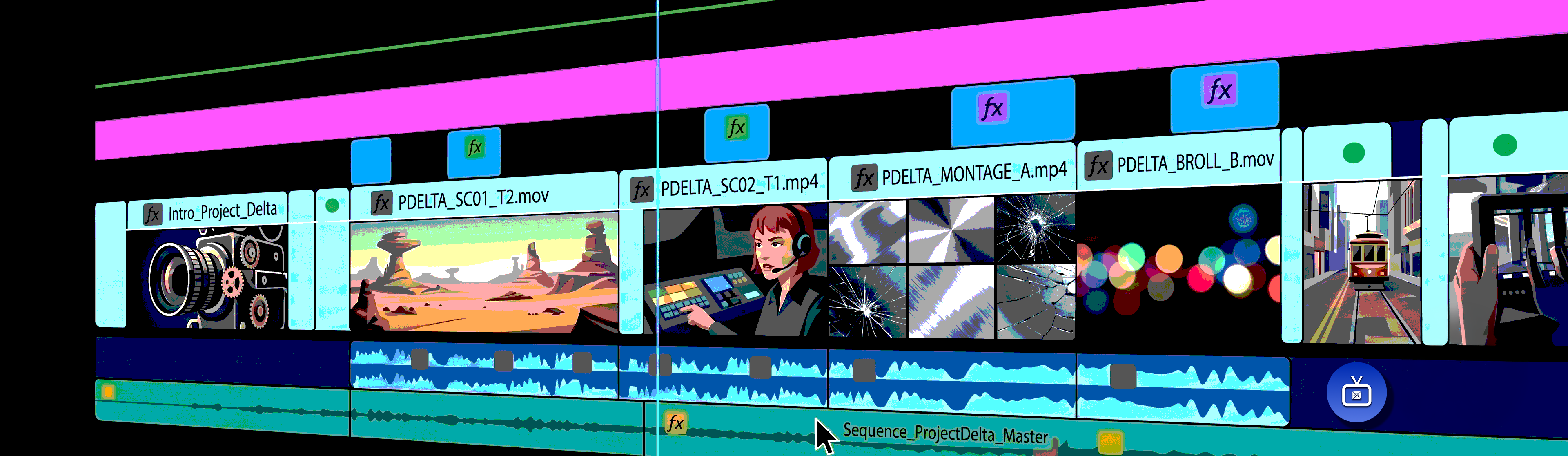
Messy timelines become expensive timelines. After a few weeks, even experienced editors struggle to understand poorly organized sequences.
Color Label Everything
Assign colors consistently across all your projects to make complex edits dramatically easier to read at a glance:
Reduce Back-and-Forth Between Applications
One of the biggest hidden productivity killers is constantly leaving your editing software. A typical workflow often looks like this:
Each interruption breaks creative momentum. Professional editors try to keep as much work as possible inside a single environment. Every time you leave your editor, you lose context.
Learn Keyboard Shortcuts Before Buying Faster Hardware
Many creators upgrade their computers before upgrading their workflow. Learning 20 frequently used shortcuts can often save more time than upgrading your CPU.
Create Templates for Repetitive Projects
If every project starts from scratch, you're rebuilding the same workflow repeatedly. Instead, create reusable templates that already include intro sequences, audio routing, adjustment layers, lower thirds, and export presets.
Keep Voiceovers Inside Your Editing Workflow
Voiceovers are one of the biggest interruptions in modern editing. This process becomes frustrating during revisions. Imagine changing one sentence five times. That means five exports, five downloads, five imports, and five replacements.
A lean editing workflow removes these unnecessary steps.
Generate AI Voiceovers Directly Inside Adobe Premiere Pro
One of the easiest ways to eliminate workflow friction is by generating narration without ever leaving your editing timeline.
The Vampro AI Voice Generator
Lets editors create natural-sounding voiceovers directly inside Premiere. Instead of switching between multiple websites and downloads, you can:
- Write your narration
- Choose a voice
- Generate audio
- Revise the script instantly
Whether you're producing YouTube tutorials, documentaries, explainers, advertisements, product videos, educational courses, or social media content, this dramatically reduces repetitive work and keeps your creative focus where it belongs—on the edit.
Final Thoughts
Lean editing isn't about rushing through projects—it's about removing everything that doesn't contribute to the final video.
Organized project bins, clean timelines, thoughtful file management, reusable templates, and fewer interruptions allow you to spend more time making creative decisions and less time managing files. The best editors aren't necessarily the fastest at clicking—they're the best at building systems that let creativity flow uninterrupted.
Start by improving one part of your workflow today. Organize your next project before editing, simplify your timeline, standardize your file structure, and eliminate unnecessary software switching.
Over time, these small improvements compound into a workflow that's faster, cleaner, and far more enjoyable.
If you're ready to take the next step toward lean editing, the Vampro AI Voice Generator for Adobe Premiere Pro is designed to remove one of the biggest remaining workflow bottlenecks: voiceover creation, so you can spend less time managing files and more time telling compelling stories.